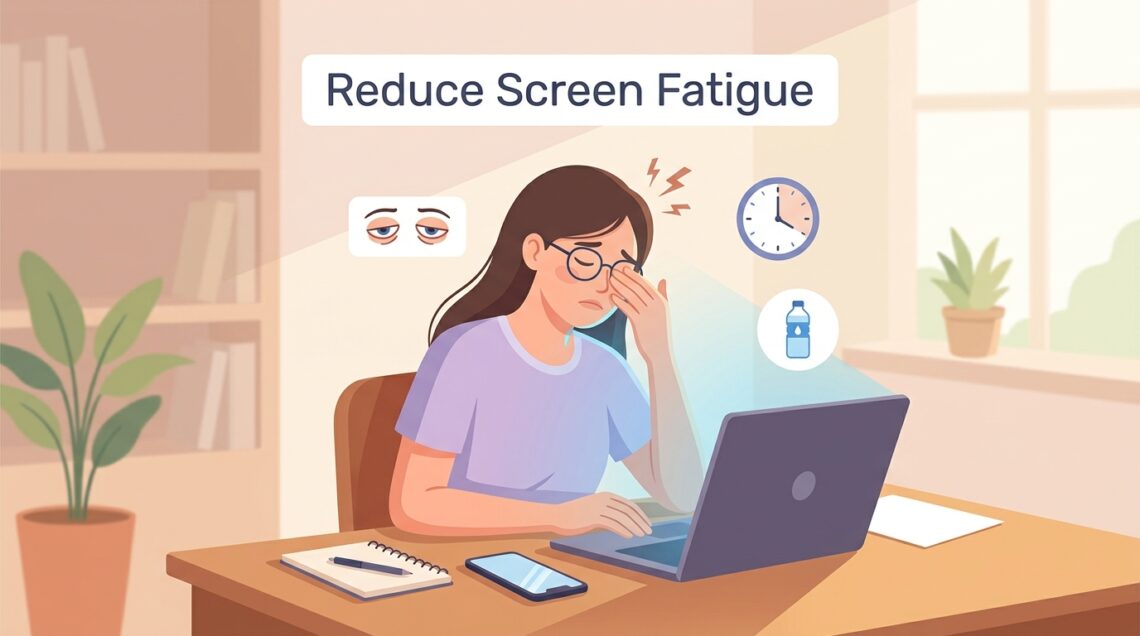
Screen Fatigue: Screens make up a large part of our daily life. Many people are spending hours every day in front of their digital screens for everything from classes online or office work, to entertainment and social media. The technology makes it easier to do a lot of things however, too much time spent on screens could make your eyes feel fatigued and uneasy.
Do you experience frequent blurred vision, headaches, dry eyes, or have trouble focus after working on your smartphone or computer? It is possible that you are being affected by screen fatigue. However, small adjustments to your routine will help reduce eyestrain and make viewing time more enjoyable.
What Is Screen Fatigue?
Screen fatigue, also known as digital eye strain, happens when your eyes are exhausted after spending an extended duration looking at screens. Screens with digital content, as opposed to in a printed book, trigger your eyes to continuously shift focus due to the contrast, brightness, and motion of content.
Individuals who work for long periods of every day on laptops, phones, tablets or TVs are more prone to suffer from screen fatigue. This isn’t usually a major medical issue, however it can affect efficiency, comfort and overall health.
Common Signs of Screen Fatigue
The symptoms of screen fatigue vary between people. There are times when people feel dry eyes or itchy eyes. some suffer from headaches, or have blurred vision. Eye irritation is usually aggravated due to long periods of unrestricted screens.
Some other common signs include stiff necks, soreness of the shoulders, and sensitivity to light, and trouble focusing. When you notice these signs frequently when using electronic devices may indicate your eyes are suffering from being exposed to screens for too long.
How Can Screen Fatigue Be Caused?
One of the main causes of screen fatigue is because people are less likely to blink when watching screen displays. The blinking process keeps eyes cool and comfortable. When blinking decreases it can cause the eyes to get dry and inflamed.
The other causes for eye strain may also be responsible. This includes poor illumination, camera glare tiny font sizes, sitting too close to the monitor as well as excessive brightness of the screen. The longer you are using digital devices it is the more hard your eyes are working.
Adhere to the 20-20-20 Principle
One of the most effective methods to combat fatigue from screens, which is advised by a number of eye care specialists, is the rule of 20-20-20. Have a 20-20-20 break. Each 20 minute period, turn off the monitor and look at something about 20 feet from you for a period of 20 minutes.
It is a simple way to allow the muscles in your eyes to ease into relaxation. This helps ease the stress off of focus and may reduce the strain that comes from looking at your screens for extended durations of time.
Increased Blink Rate
Most people are unaware how their blink speed decreases dramatically when they use digital devices. The act of blinking can spread the water over eyes If your blink rate is lower it can cause dry eyes and irritation rapidly.
An attempt to blink more frequently will help to maintain your eyes’ comfort all entire day. If you are prone to dry eyes, you can try closing your eyes slowly for a short amount of time every hour or so to aid in restoring water.
Reduce Your Screen Brightness
If your monitor is either too bright or dimmer you’re making your eyes work more than they should. Ideally, the brightness of your screen should be in line with the light in the surrounding area.
If you work in bright surroundings, you could try increasing the brightness of the display by a little. In more dim environments will alleviate eye strain and create watching more relaxing.
Make Text Bigger to Read More Easily
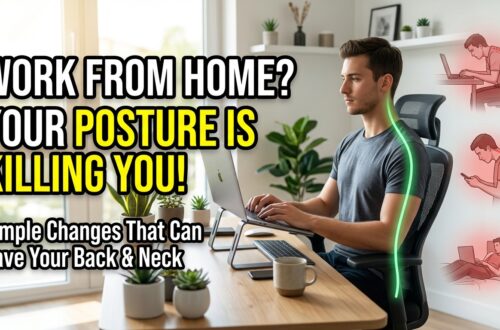
The small fonts on the screen could put an extra pressure on the eyes. If text is difficult to comprehend, users squint or bend forward without thinking. It can also create discomfort around the shoulders and neck.
Achieving a higher font size and zoom levels can make reading more enjoyable and will to keep your eyes calm. Many devices offer accessibility features that allow content to be easier comprehend without diminishing the quality of content.
Maintain the Proper Distance From the Screen
The screen’s position can play an essential role in determining your eyes comfortable. Most experts suggest keeping your computer’s screen between 20 and 28 inches away from your eyes.
The screen must also sit slightly lower than your eye. This angle of view naturally reduces tension on the neck and strains eyes when working for long periods of time.
Lighting Around Your Workstation
Insufficient lighting is an important factor in screen fatigue. Bright lighting could cause glare. Likewise, light that is dim causes your eyes to strain to concentrate.
Well-lit, balanced lighting in a workplace creates the most comfortable and relaxing viewing space. Lights in rooms that are soft can be superior to harsh overhead lights in particular when you’re doing work for extended periods of time.
Cut Screen Glare
The glare phenomenon is among the leading reasons for visual discomfort. Light from bright lights, windows or other shining surfaces may cause blurred vision and strain on the eyes.
Make it less glare-free by altering the direction the screen is set at, closing the curtains at times of high sun or using an anti-glare window protect. Making even small adjustments can make huge differences in terms of the comfort.
Pause Frequently Throughout Your Day
Eyes aren’t the only one affected by long-term usage of screens. When you spend hours in the same spot there is a chance that you will be afflicted by muscle strain as well as fatigue, and inadequate circulation.
A short break each an hour allows your eyes as well as your body to recuperate. Take a break, stretch or walk around for a while, and take a moment taking in things from the space before you go into your work.
Use Blue Light Filters As Needed
The majority of modern devices, including tablets and smartphones have built-in blue light filters, or night mode options. They limit the quantity of blue light that is emitted through the screen, particularly during the night.
Although blue light may not be the sole cause of eye strain, a lot of users have reported feeling more relaxed when they use these options, particularly during the night.
Keep Your Eyes Moisturised for Better Eye Health
Hydration and proper hydration are essential to your overall health, and this includes the eyes’ health. If your body isn’t getting enough fluids the eyes could feel hot and uncomfortable.
drinking water throughout the day is important in order to ensure that your levels of moisture stay in check and ensure good tear production. Simple habits like this can to make you feel more relaxed during lengthy periods of screen time.
Quick Tips to Beat Screen Fatigue
| Tip | Benefit |
|---|---|
| Utilize the 20-20-20 rule | Relax eyes muscles |
| Often, Blinking | Stops are dry |
| Change brightness | Reduce eye strain |
| Create Text Larger | Clears Up Confussion |
| Maintain Your Distance | More comfortably |
| Better lighting | Helps to Reduce Eye Strain |
| Improve visibility | |
| Breaks are important | Preventing fatigue |
| Utilise Blue Light Filters | More comfortable |
| Maintain hydration | Support for Eye health |
Who Is Most Susceptible to Screen Fatigue?
Everyone who spends lots of time using gadgets can experience screen fatigue. Some of the most vulnerable groups include people who work in offices, students and gamers, as well as creatives, and designers as well as remote workers.
As screen time is increasing for everyone of every age group, it’s more crucial than ever before to be aware of how you can protect your eyes.
If You Are in Need of an Eye Specialist?
Screen fatigue usually lasts for a short time But don’t dismiss any persistent signs. If you are suffering from chronic headaches that are severe, frequent eyestrain, blurry vision or any changes to your vision that do not improve when you rest, get professional guidance.
Exams of your eyes regularly will reveal issues with your vision and to ensure that your eyes are well.
Summary
It’s impossible to escape the screens of our times however it doesn’t mean that you should to endure tired and eye discomfort. Simple actions like frequent break, blinking more frequently and changing the settings on your screen or adjusting the lighting within your workplace and hydrating will go a long way in decreasing screen fatigue as well as increasing your general eye comfort.
Small changes might seem small at first glance but they affect the efficiency of your work and vision health. Looking after your eyes now can help ensure your eyesight and comfort in the years to come.